.svg)


I've had the same conversation dozens of times in the last few months.
A RevOps leader at a scaling company tells me they're trying to figure out how to use AI. They know there’s value, and they're worried about getting left behind. But every time they try it, the output is mediocre and they end up doing the work themselves anyway.
The good news is that everyone is still trying to figure this out. The even better news is that there's a proven formula to do it. And it's simpler than you think.
The AI Tool Isn’t the Real Blocker
88% of AI users say automation helps them make decisions faster. But for the teams who haven’t automated yet, there’s a disconnect. They see the value of automation, but they’re still getting generic results.
It’s easy to blame AI, but it isn’t the tool’s fault nobody onboarded it.
You wouldn't hire a new analyst, hand them a dashboard, and say "figure it out." You'd walk them through the work: what you pull, why you pull it, what you're looking for, what a flag actually looks like in your pipeline. AI needs the same treatment. When you skip that step, you get generic output. Every time.
The formula is simple: identify the workflow or process required to get to any given outcome. Then document it well enough to hand it off. That's the whole game.
3 RevOps Automation Checks
The RevOps processes worth automating have three things in common:
- Repeatable: they follow the same sequence every time.
- Rules-based: the logic is consistent and definable.
- Time-consuming: they're eating analyst hours that should go somewhere else.
If a process meets all three, it's a candidate. Then the question is how to get it out of someone's head and into a form that can actually be handed off.
3 Steps to Document the Process
If your process passes the check, you need to make sure it’s documented. Here's the three-part framework I've been using to do it with AI:
1. Describe the process like you're onboarding someone.
What do you do first? What data do you touch? What are you looking for? What's the output? Don't prompt; narrate. Voice-to-text is great for this. The goal is to make every step explicitly clear, especially the implicit ones that seem too obvious to mention. Those are the automation killers.
2. Make a guess and let it correct you.
Here's a trick I learned in sales: if you ask someone to describe their situation, they freeze or give you a vague answer. But if you tell them what you think their situation is, they'll correct you immediately. I use the same approach with AI.
Instead of asking the model to tell me how a process should work, I describe how I think it works and ask it to push back. "Here's my assumption about what this output should look like. What am I missing?" That one shift gets you dramatically better output because correction is easier than creation.
3. Ask for the automation map, not just a summary.
The question isn't "can you help me with this?" It's "which of these steps should be automated, and what would it take to do it?" AI is best at repeatable, rules-based tasks with clear inputs and outputs. It struggles when the process is fuzzy. Spell it out, and it can map the path.
Example: Automating Pipeline Health & Forecast Review
I ran this experiment with the Weekly Pipeline Health & Forecast Review, one of the most common recurring processes in any RevOps function.
Think about what that actually requires a human to do every Monday morning. You pull pipeline coverage by segment, rep, and region. You flag stale deals. You identify close date slippage and single-threaded accounts. You calculate coverage ratios against quota, surface data quality issues for rep remediation, and compile everything into an exec-ready summary.
That single process takes three to five hours. Every week. And none of it should require a human to build from scratch every Monday.
I walked AI through every step: what data it touches, what the output needs to look like, what decisions it's designed to inform, and what a flag actually means in context. I asked for pushback. And then I asked it to map the automation.
What came back wasn't a generic framework. It was a step-by-step automation map, a time savings breakdown by task, and a list of signals that could be monitored continuously rather than pulled by hand.
The three-to-five-hour weekly rebuild became a 15-minute review of outputs that had already been generated, flagged, and compiled. The analyst can stop producing the review and start doing more of what matters: validating findings, approving actions, and identifying new patterns the automation hasn't been trained to catch.
That's a better job, if you ask me.
What-If Scenario: Designing RevOps at Lattice
Here's how this plays out at scale.
Lattice is a $130M+ ARR people management platform with 101 quota-carrying reps. 2 RevOps analysts, and a five-plus month average sales cycle. Buying committees include HR leaders, TA directors, IT, and Finance, stakeholders who rarely align on timeline. Lattice’s board needs a reliable forecast number every quarter. So their RevOps team needs to catch and address pipeline risk in real time.
If I joined the team tomorrow as a team of one, I wouldn't start with dashboards. I'd start with documentation. Here's exactly how I'd approach it in 30 days:
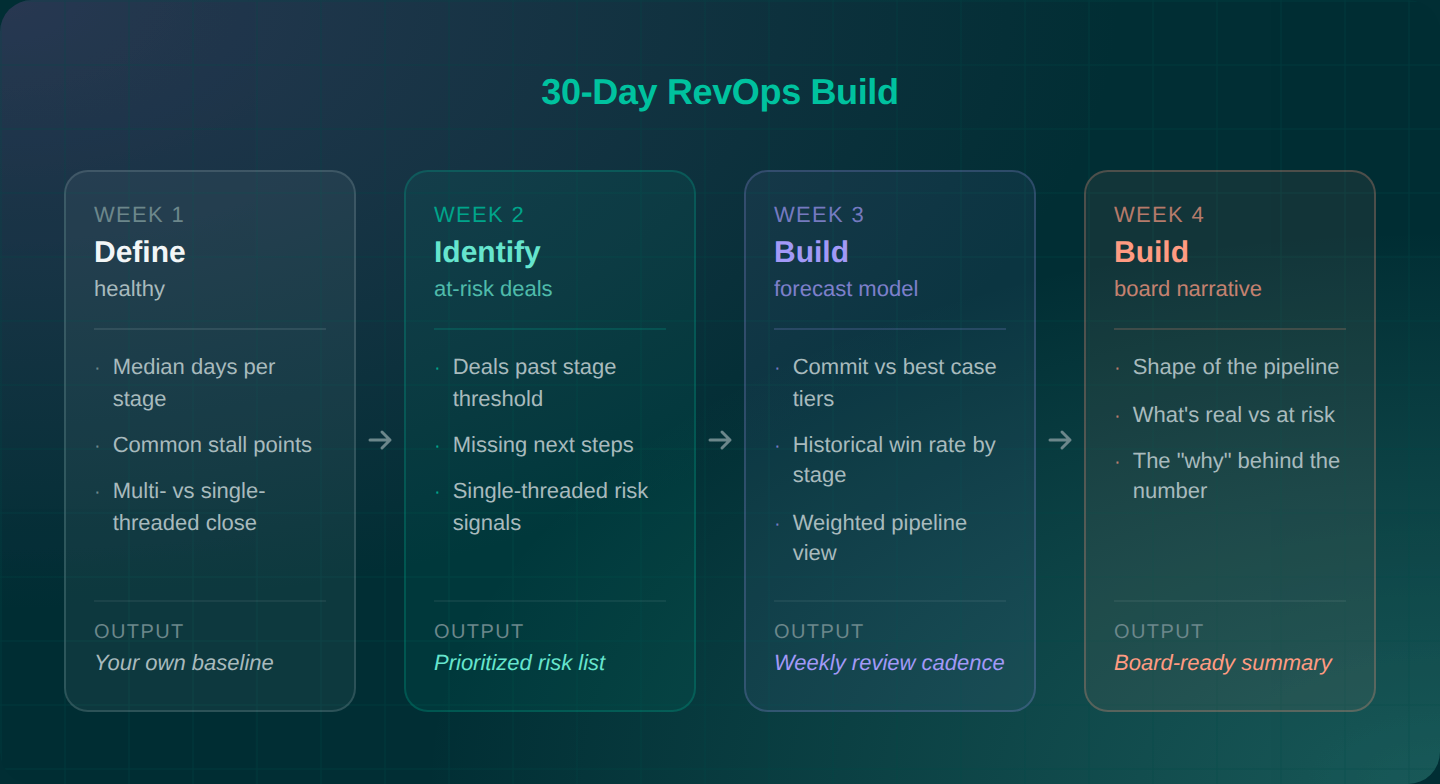
Week 1: Define what healthy actually looks like.
I would start with Lattice’s data and supplement with industry benchmarks.
- How many touchpoints do we need in each stage?
- Where do deals usually stall?
- What deals are hitting their close dates?
- How many stakeholders do we engage on a healthy deal?
You can't track early warning signals without a baseline. I’d also start a regular review cadence to refine these attributes.
Week 2: Codify the biggest risk patterns.
For a business like Lattice, I'd track four key risks:
- Low activity: no logged engagement in 5+ days
- Stage stall: deal stuck in the same stage for 20+ days
- Close date slippage: moved more than once
- Single-threading: only one required stakeholder engaged
I’d then establish workflows for tracking these risks and generating alerts when we need to pay attention to them.
Week 3: Build a forecasting process.
I’d build a simple forecasting process with three buckets: Commit, Pipeline, and Upside. Then I’d document strict requirements so every projection is qualified by evidence, not optimism. A deal without a Finance stakeholder engaged in 30 days doesn’t go to Commit. I’d make those distinctions non-negotiable in the weekly review. Then I’d develop a process for adjusting the forecast when we find risk in the pipeline.
Week 4: Build the board narrative.
The board needs a number. But they also need to understand what's real, what's at risk, and why. That’s why I’d detail a process for generating a one-page summary or slide that tells the story.
Notice what each of these weeks produces: a documented process with defined inputs, outputs, and decision logic. By week four, every one of those processes is documented well enough to hand off. That's the whole game.
Expected Results
I’d expect to see strong results from these changes:
- At-Risk Revenue Saved: $6M+
- Analyst Time Saved: 12 hours/week
- Pipeline Risk Detected 7 days earlier
Your Next Step
Pick one repeatable, rules-based, and time-consuming process your team runs.
Walk your preferred LLM through that process the way you'd onboard a new analyst. Describe every step in detail. Prompt the model to check your thinking and ask for more clarity. Then decide which steps to automate.
Review the results, refine, and repeat.
The processes most worth automating are already in your team's weekly rhythm. They're just waiting for you to write them down.
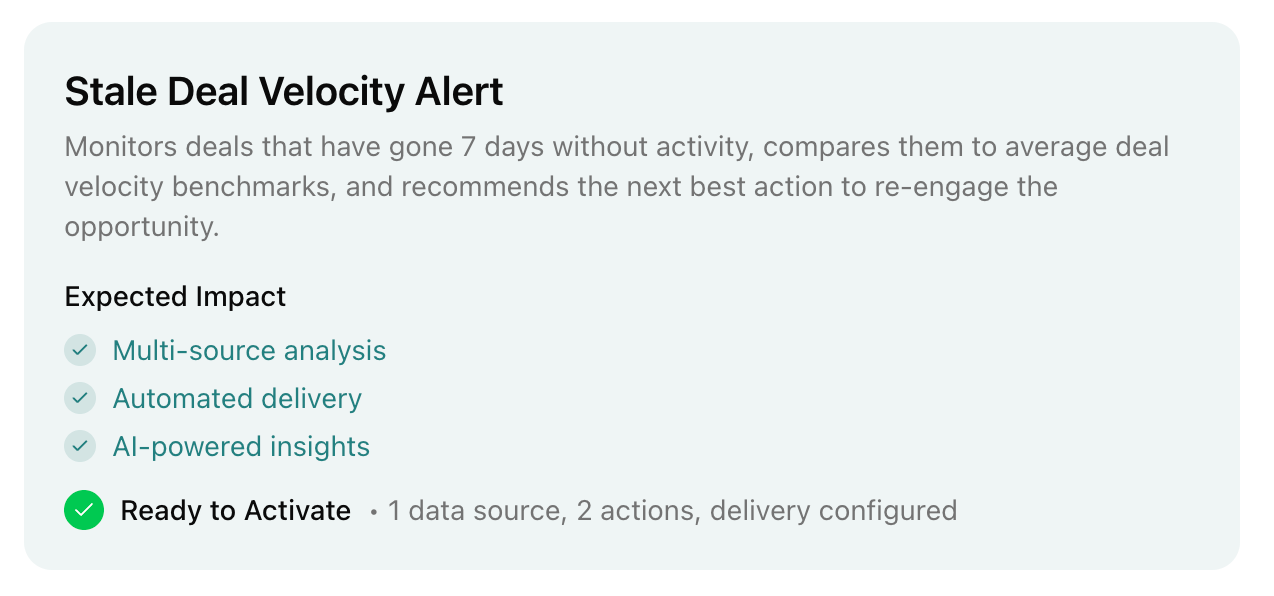
Chief automates recurring RevOps processes like pipeline reviews, forecast prep, and data quality audits. With Chief, analysts spend their time on decisions, not producing reports.
To learn more, see our guide to improving sales processes.