.svg)
Chief Release Notes
February 26, 2026
Custom Sales Task Automations
By Ben Hale
Your sales motion is unique. Your revenue intelligence should be too.
Most revenue intelligence tools give you pre-built insights based on someone else's assumptions about how deals should move. Chief does something different: it learns how your pipeline works—your stage velocity, your deal patterns, your team's behavior—and builds agents around that.
How Automations Work in Chief
There are two ways to build an automation in Chief:
- Describe what you want it to do. Then Chief builds it for you.
- Configure and build one yourself from scratch.
(Coming soon: a pre-built template library)
However you get there, every automation follows the same structure: a trigger, a logic rule tied to your historical pipeline data, and a recommended action delivered to the right person at the right time.
What Automations Look Like in Practice
Look at one of our team's automations as an example: the Stale Deal Velocity Alert.
When a deal hits 7 days without activity, Chief pulls the full record from your CRM, compares it against your historical velocity benchmarks by stage, and delivers a specific recommended next action to the deal owner.
That's only one automation. You can build dozens.
The Bottom Line
Every manual process your team runs on a recurring basis (the weekly CRM scroll, the close date audit, the rep check-in) can become a trigger-based automation that runs itself.
Tell Chief what matters. It’ll handle the rest.
Want to see what automations Chief would build for your team?
Book a demo →
Already a customer?
February 13, 2026
4 Sales Workflow Updates
Reps and managers shouldn't have to be data scientists to close deals.
That's why we're building features that make it easier to find insights, understand the pipeline, and take action.
What’s New in Chief
1. Insight Cards
Stop hunting for data. Chief automatically surfaces deal risks and provides a clear breakdown of what’s happening and what to do next.
2. One-Click Actions
Execute immediately. Draft follow-ups, update deal stages, or generate documents without ever leaving the platform.
3. Natural Language Automations
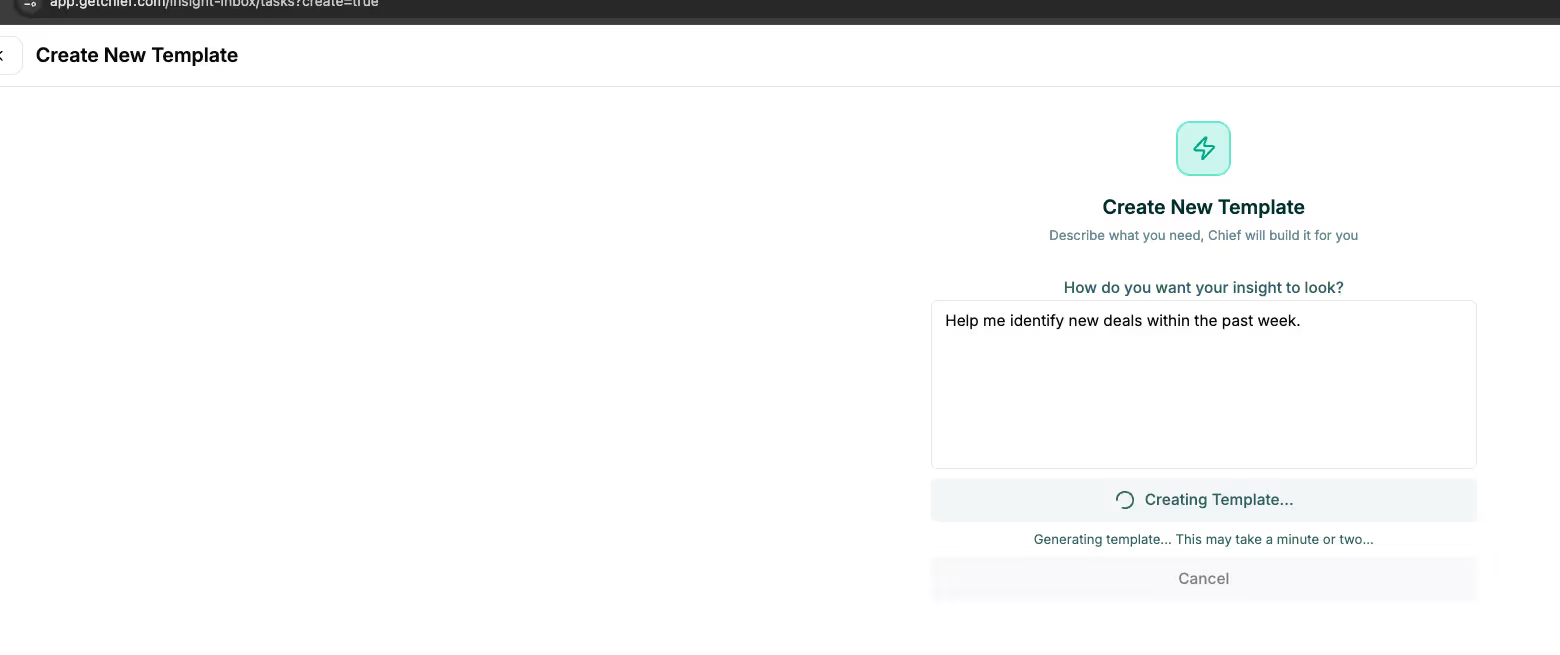
Build your own workflows by typing in plain English. Ask Chief to "show deals likely to close this month," and it will build the automation and delivery schedule for you.
4. Meeting Intelligence
Chief joins your calls to generate summaries and follow-ups using your specific templates. You can even command Chief to create a deal in your CRM directly from a transcript.
The Bottom Line
Your tech should work the way you work, not the other way around. That's the type of flexibility we're building into Chief.
February 9, 2026
Chatting with Meetings
It’s Wednesday. The board’s asking pipeline questions.
You know the team discussed five deals in the pipeline health call on Monday.
But you need answers about where things stand now:
- Which deals need immediate follow-up?
- Are any of them slipping?
- Do the commitments made align with what's in the CRM?
Your meeting bot gives you a transcript, but it’s not connected to your systems. It doesn’t have the context to answer these questions. So you have to do the detective work.
What Chief Does
When you chat with a Chief meeting, you can ask questions asking about what's happening in your pipeline right now.
Because Chief is connected to your CRM and other systems, it already knows:
- Details about every deal discussed in the meeting
- Their current stage, close date, and health status
- Recent activity (or lack thereof)
- Whether they're trending toward close or stall
You ask real pipeline questions and get accurate answers.
See Chief in Action
A typical meeting chat with Chief looks like this:
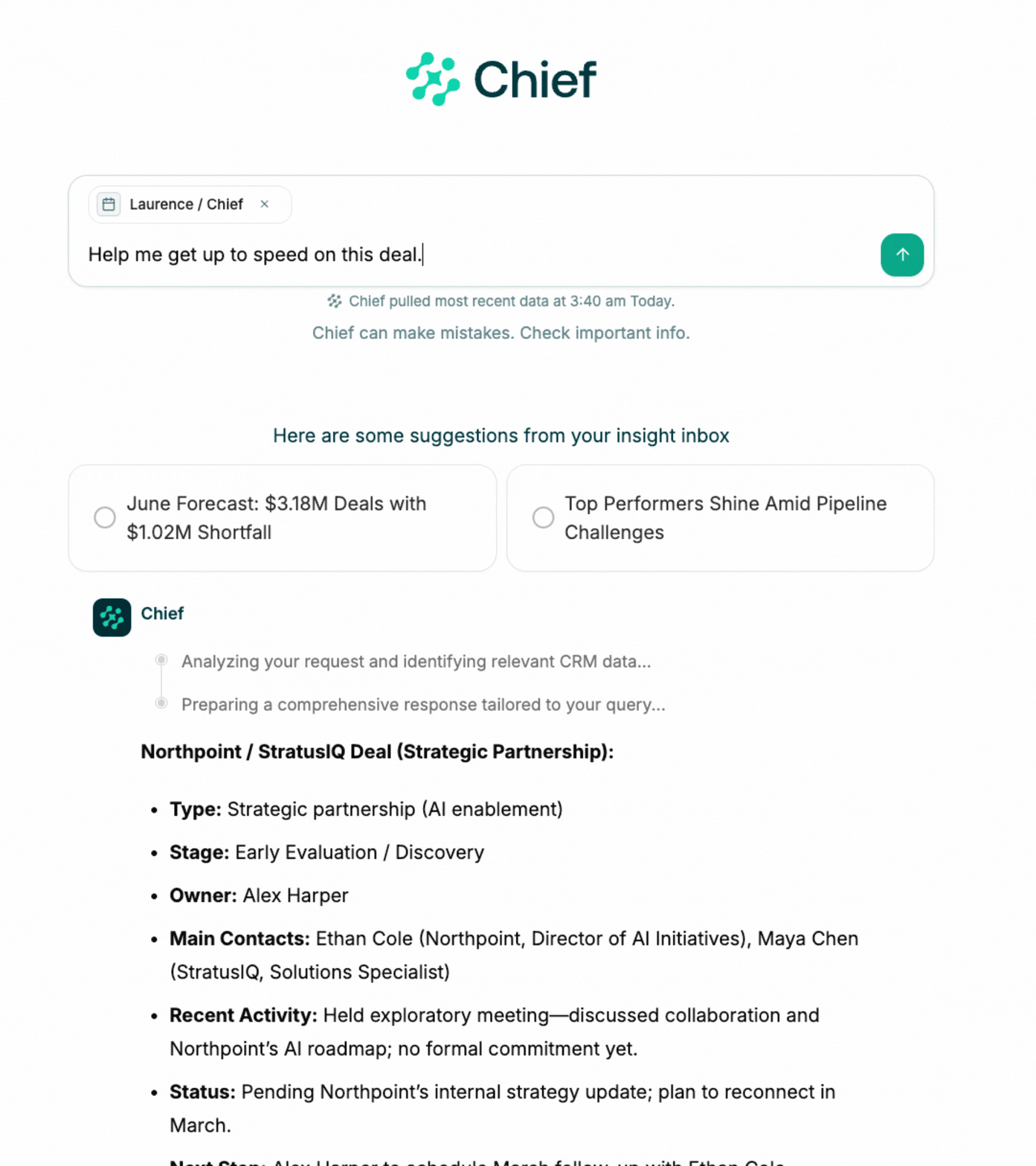
You ask: "Which deals from today's call need follow-up?"
Chief responds: "Three deals were discussed:
- Acme Corp (Stage 3, close date 2/28) — no activity in 9 days. At risk.
- Beta Inc (Stage 2, close date 3/15) — healthy, demo scheduled.
- Gamma LLC (Stage 4, close date 2/15) — stuck in contracting for 18 days. High priority."
You don’t have to go digging in the CRM lookups. You get the answer you need to take action.
How It Works
Chief treats every meeting as an operational event, not an isolated note.
When you record a call,
- Chief identifies every account, contact, and deal mentioned
- Links them to live CRM records in real time
- Monitors their health and activity continuously
When you chat with that meeting,
- Chief retrieves the relevant conversation context
- Pulls current pipeline data for every deal discussed
- Synthesizes both into a clear, actionable answer
You get meeting intelligence and pipeline intelligence—in one place.
Try Chatting with a Meeting Today
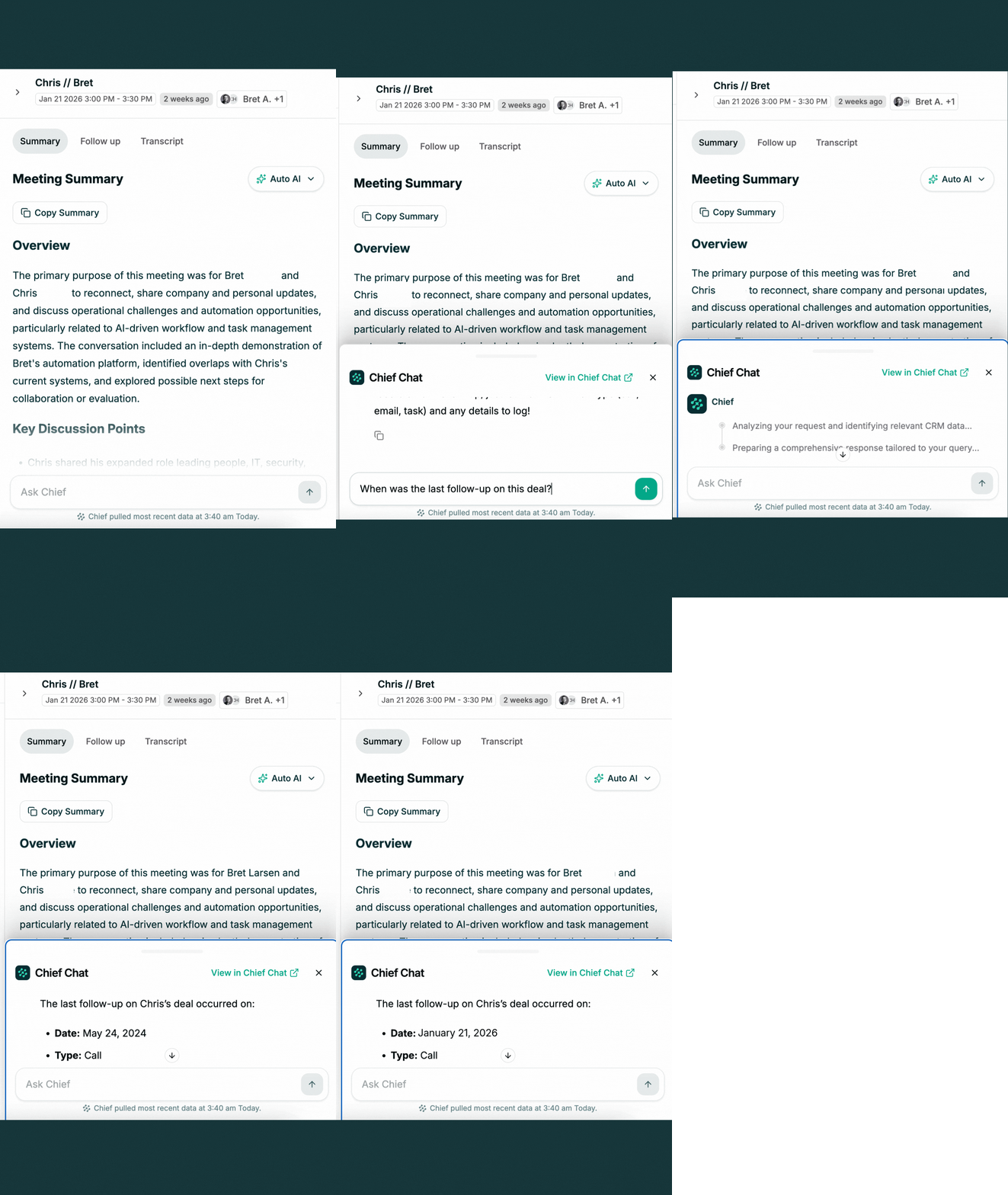
Your meeting recordings are already getting smarter.
To chat with a meeting,
- Log into Chief
- Navigate to your settings & profile
- Find a past meeting
- Ask a question in the chat field
Ask about deal health, follow-ups, or pipeline risk. Chief will connect the dots.
Want to see how this changes your workflow?
Book 15 minutes with me and I'll walk you through the system and answer your questions.
Chief is a predictive revenue intelligence platform built for leaders who are tired of tools that create more work. If you've ever wished your AI notetaker actually understood your business and pipeline, Chief is for you.
December 12, 2025
New Templates Now Live
By Jon Daniels
Today we're launching three powerful template features:
- Meeting Templates
- Follow-up Email Templates
- Insight Templates
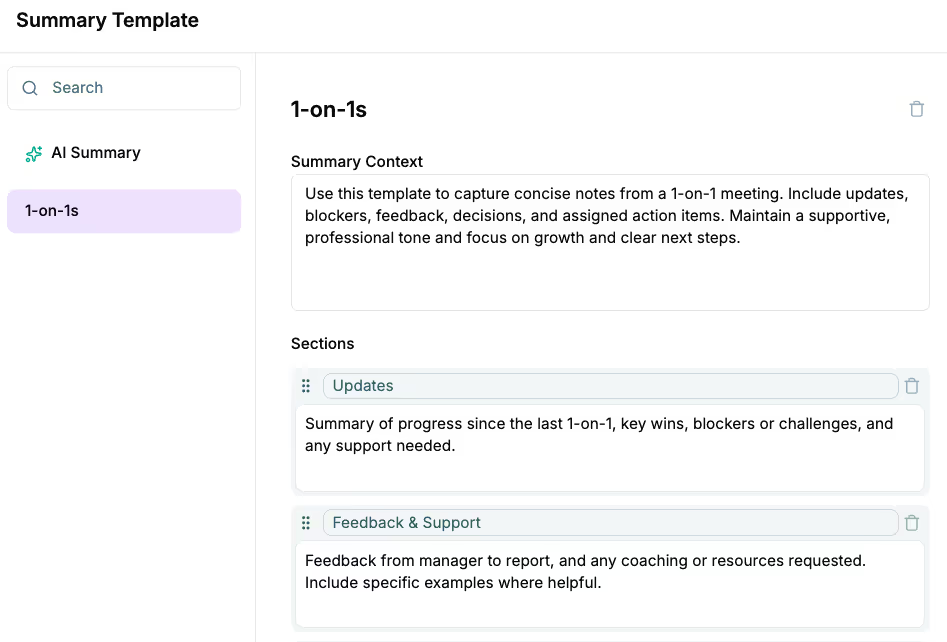
Meeting Summary Templates
You can now customize how Chief Assistant summarizes any meetings it attends. Not sure what to create? Prompt Chief and we’ll create the template for you. You can add and edit the sections to your needs.
Follow-up Email Templates
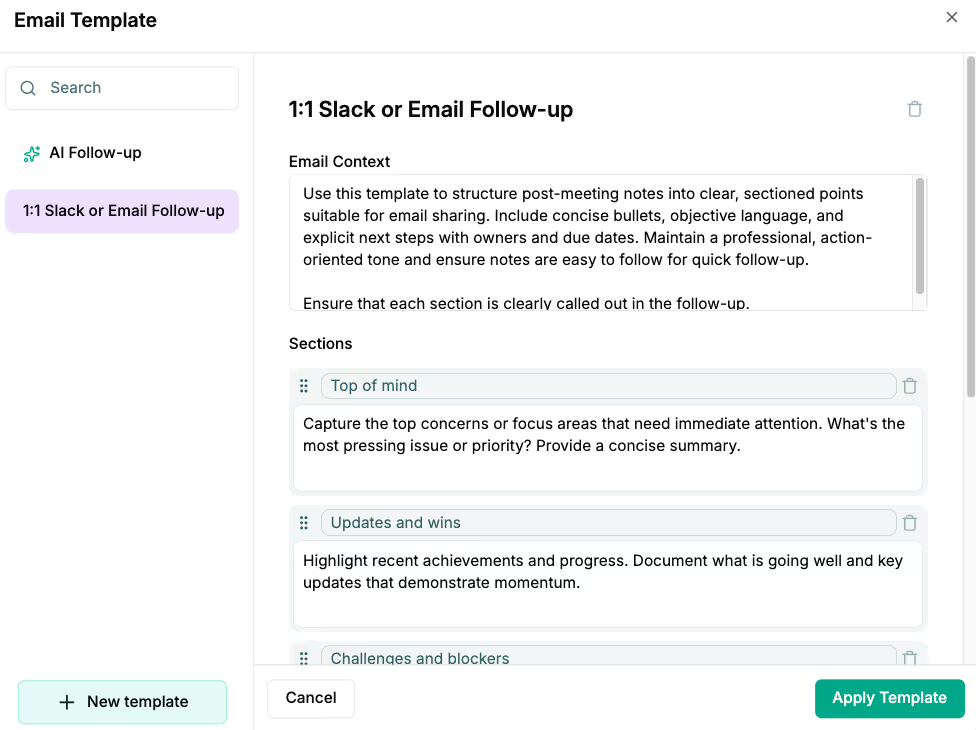
You can now customize how the Chief Assistant drafts a follow-up email after it has attended a meeting. If you're not sure what to create, you can prompt Chief; we’ll create the template for you. You can add, move, and edit the sections of the email to fit your needs.
Task Templates
You can now tell Chief what kinds of insights you want it to find for you in your data.
Build templates to have Chief answer questions like...
- What is the sales forecast for Q1?
- Who’s keeping the CRM up-to-date?
- Who’s the top closer this week?
- Who’s on track to hit their quota this month? Who isn't?
- Which lead sources have the best conversion rate over the past month?
Chief can deliver all of these insights and more. Login and connect Chief to your CRM today, and you can put it to work for you.
About Chief
What is Chief?
Chief is your personal Sales Chief of Staff. Think of it like J.A.R.V.I.S. for your sales team.
What is a Chief of Staff?
One part Data Analyst, One part project manager, and one part executive assistant. In other words, Chief helps you find at-risk deals, explain the risk, and take action to address it.
April 9, 2025
Two New Core Features
By Jon Daniels
We’re launcing two new features designed to help you extract even more value from your data with minimal effort.
- Chief Chat on the Web: access the same powerful conversation capabilities from your browser that use in Slack. Directly interact with insights delivered to your Insight Inbox, turning passive information into active decisions—anywhere, anytime.
- Context Library: our new unified Context Library makes decision making even easier. We’ve brought your Company Metrics (quantitative) and Company Profile (qualitative) data together in one place, giving you the complete picture needed for confident decisions without switching between tools.
Both features are available now in your dashboard. Log in today to discover how these additions can streamline your workflow.
Need help getting started? You can reach our Customer Success team at success@getChief.com or book a call to have us walk you through it.