.svg)


Updated June 29, 2026
If you don’t think like an engineer, your sales motion won’t scale.
Look at this data point if you want proof. It should make every sales leader a little uncomfortable:
An MIT lead response study found the odds of contacting a lead drop 100x when you wait 30 minutes instead of responding within 5 minutes.
This is why most teams hit the same wall at the same time: the motion depends on heroic humans doing manual work, consistently, forever.
Engineers approach things differently. They design and build systems that reliably turn input into output. If you're a sales leader who wants to close deals consistently, you need to do it too.
Sales Workflows Are Engines
Think about the engine under the hood of your car. There's one simple way to describe the system.
- Input: gas
- Process: combustion
- Output: energy
A sales motion isn't any different. Your workflow is the engine. It’s the repeatable mechanism that turns “interest” into “revenue” with predictable efficiency.
When sales “isn’t working,” it’s usually not because your reps are bad. It’s because your workflow is poorly designed.
Let’s talk about how to create sales workflows that actually scale.
The 3 Essential Elements of a Sales Workflow
Every workflow has three parts:
- Input
- Process
- Output
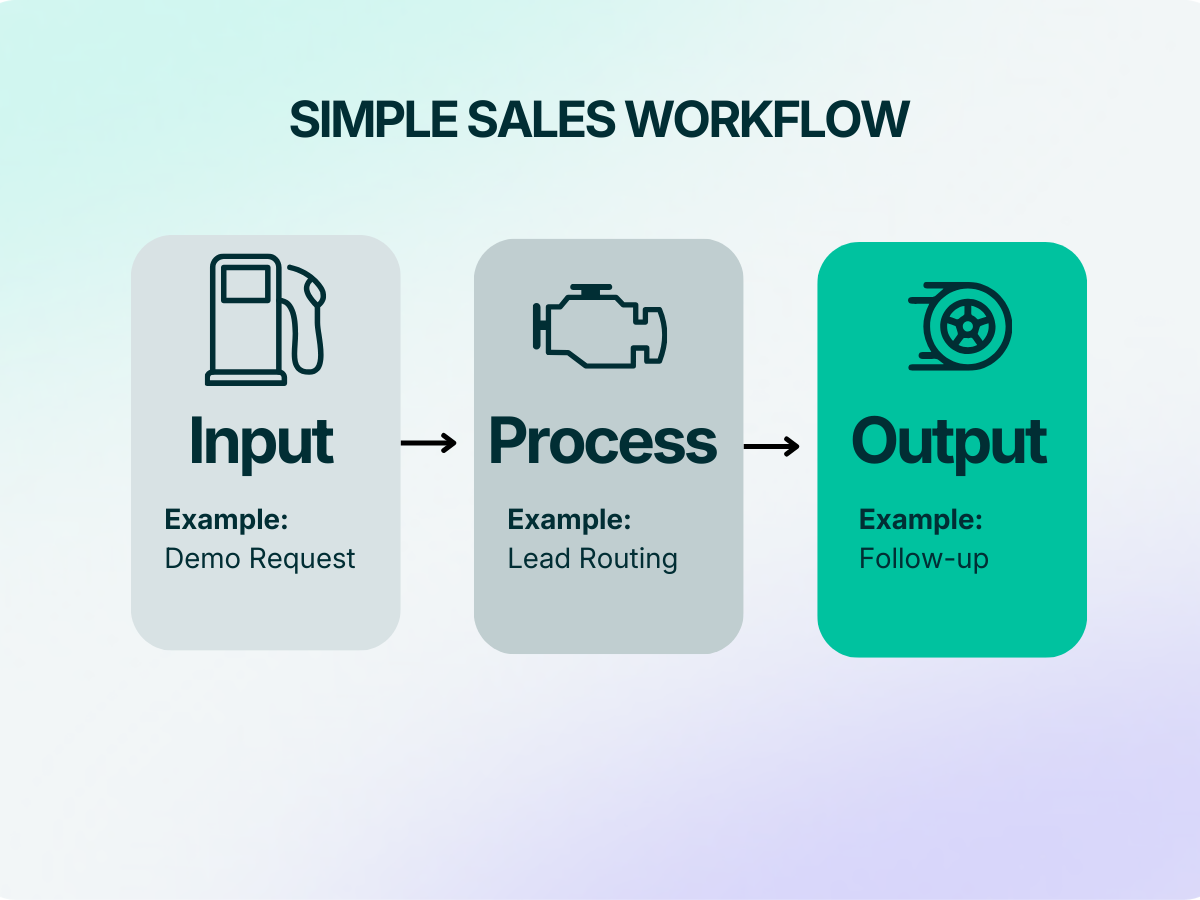
It's easy to obsess over process (“we need more touches!”) without tightening the inputs or defining the output. That’s like arguing about spark plugs while pouring sand into the gas tank.
1) The Input: Define What Enters the System
Inputs are the triggers and data that start the workflow.
Examples
- A demo request
- An inbound form fill
- A product-qualified lead (PQL)
- An expansion signal (usage spike, seat utilization, feature adoption)
Great workflows start with ruthless input hygiene:
- What qualifies as a “real” lead?
- What fields must be present to route it?
- What is the minimum viable context a rep needs to act fast?
If your input is messy, your process becomes improvisation. Improvisation does not scale.
Also: speed matters more than you think. HubSpot’s sales research highlights how teams are using automation and AI to remove repetitive work and reclaim selling time. The whole point is removing latency from the system.
2) The Process: Design the Path, then Enforce It
Process is the set of steps that should happen every time the input appears. This is where sales leaders either act like engineers…or motivational speakers.
Engineers do two things when they design a process:
- They make the steps explicit.
- They remove reliance on memory.
Your process should answer 4 key questions:
- Who owns this?
- What happens next?
- What happens if it doesn’t happen?
- How do we know it happened?
If you can’t point to where the workflow lives (CRM, automation layer, playbook), it doesn’t exist. It’s tribal knowledge. And it dies the moment your best rep moves on.
3) Output: Define the Outcome You’re Designing For
Outputs are measurable state changes. Not “the rep followed up.” Or “we sent an email.”
Real outputs look like:
- Lead moved to Qualified stage
- Next meeting booked
- Opportunity created with required fields completed
- Deal advanced from Stage 2 → Stage 3 with a validated next step
Outputs keep you honest. If your workflow doesn’t move an object through the system, you will not sell predictably.
Example: Lead-Routing Automations
Let’s make this concrete with a workflow every team thinks they have nailed: inbound lead routing.
Input: lead info (form fill + firmographics + source + intent signals)
Process:
- Log lead in CRM
- Deduplicate / merge records
- Assign ownership based on territory + account match + SLA rules
- Notify the owner (Slack + email)
- Start SLA timer + auto-escalate if untouched
Output: lead moves to Qualification (or Meeting Booked) within the SLA window
Now that’s a workflow. Compare it to what most teams actually do:
- Lead comes in
- It sits
- Someone notices
- Someone assigns it
- The rep follows up “when they can”
That's just hope. The cost is brutal when response speed is a compounding advantage.
The Engineer’s Method for Building Sales Workflows
Here’s the approach I use (and it maps cleanly to how great product teams build):
Step 1: Start with the output.
Pick one “revenue state change” you want more of.
Examples
- More qualified meetings from inbound
- Faster pipeline progression from Stage 1 to Stage 2
- Higher expansion conversion from usage signals
Write the output like a spec: When X happens, object moves from A to B within Y time, with Z fields completed.
Step 2: Work backwards to define required inputs.
What data must exist for the workflow to run without manual interpretation?
If your workflow needs a human to “figure it out,” it’s not a workflow. It’s a task.
Step 3: Design the smallest reliable process.
This is where most leaders over-architect.
Don’t build workflow “step six” when you haven’t nailed steps one through three.
Create the simplest path that produces the output. Then instrument it.
Step 4: Automate the boring parts.
Automation isn’t a feature. It’s a reliability layer.
Anything that is:
- repetitive,
- rules-based,
- time-sensitive,
- or dependent on memory…
...should be automated.
That’s how you get consistency. And consistency creates scale.
What to Do This Week
Pick one workflow or process. Just one. Run this checklist:
- Are inputs clean enough to auto-route?
- Is ownership assignment deterministic (rules > judgment)?
- Is there an SLA with escalation?
- Is the output defined as a CRM state change?
- Can you measure drop-off at each step?
If you can answer those questions, you’re thinking like an engineer. Which means you're building a scalable system.
How We Help Sales Leaders Build Sales Machines
Chief automates workflows that teams usually try (and fail) to enforce manually. When Chief helps these teams make a process like forecasting scalable and repeatable, they free resources up for what they do best: more selling.

To learn more, read our guide to improving sales processes.